Enter Password

Re-imagining the File Panel: Making Treevah Feel Light, Fast, and Intuitive
Chicago, US
2022
12 weeks
UX/UI Designer
Challenge
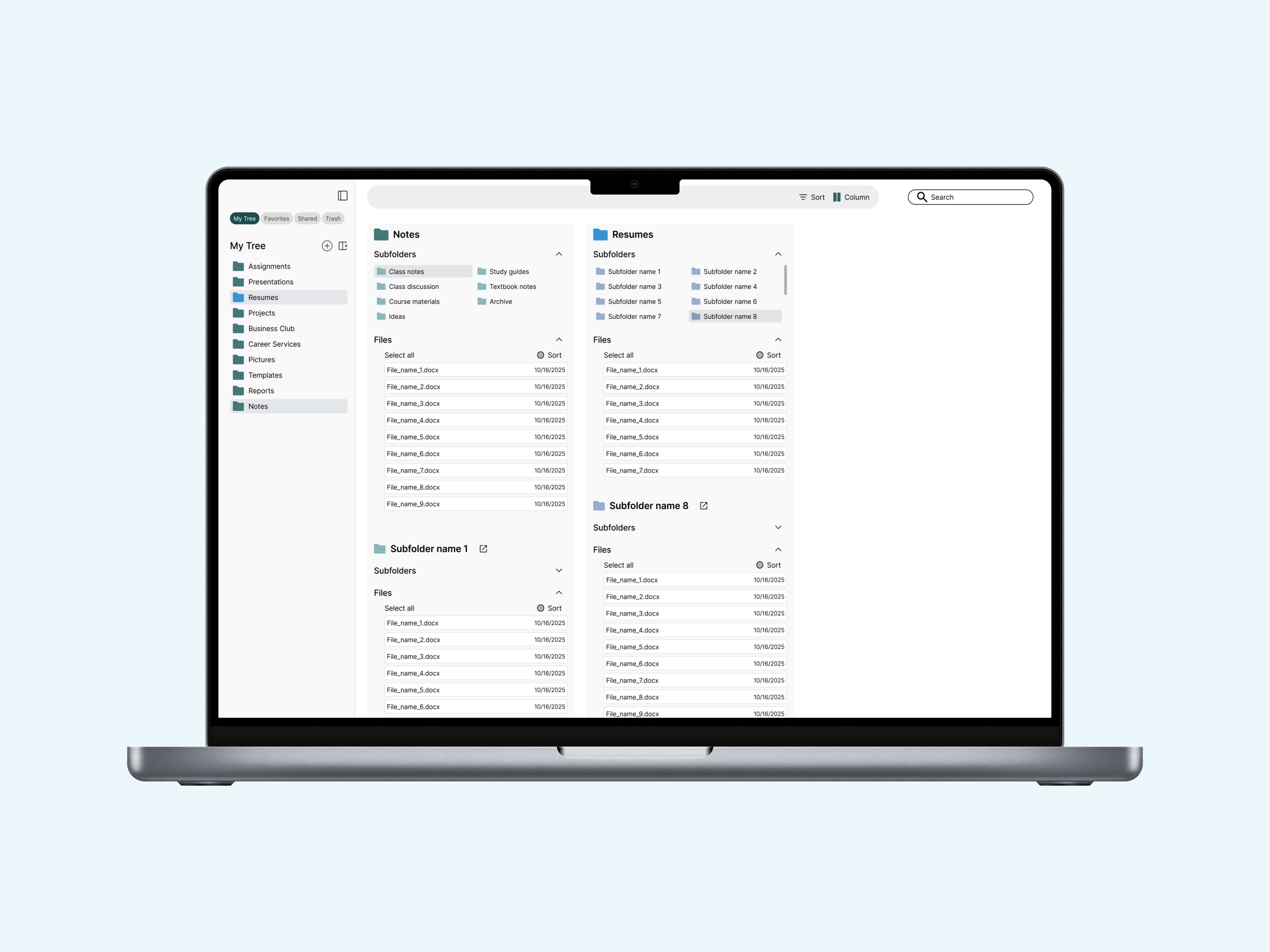
Treevah’s file panel was… complicated. Folders, subfolders, and files all mixed together, making it hard for users to find what they needed. Nested folders looked neat in theory but cluttered the interface and slowed down navigation. The challenge? Make it simple, fast and scalable without losing context.
Results
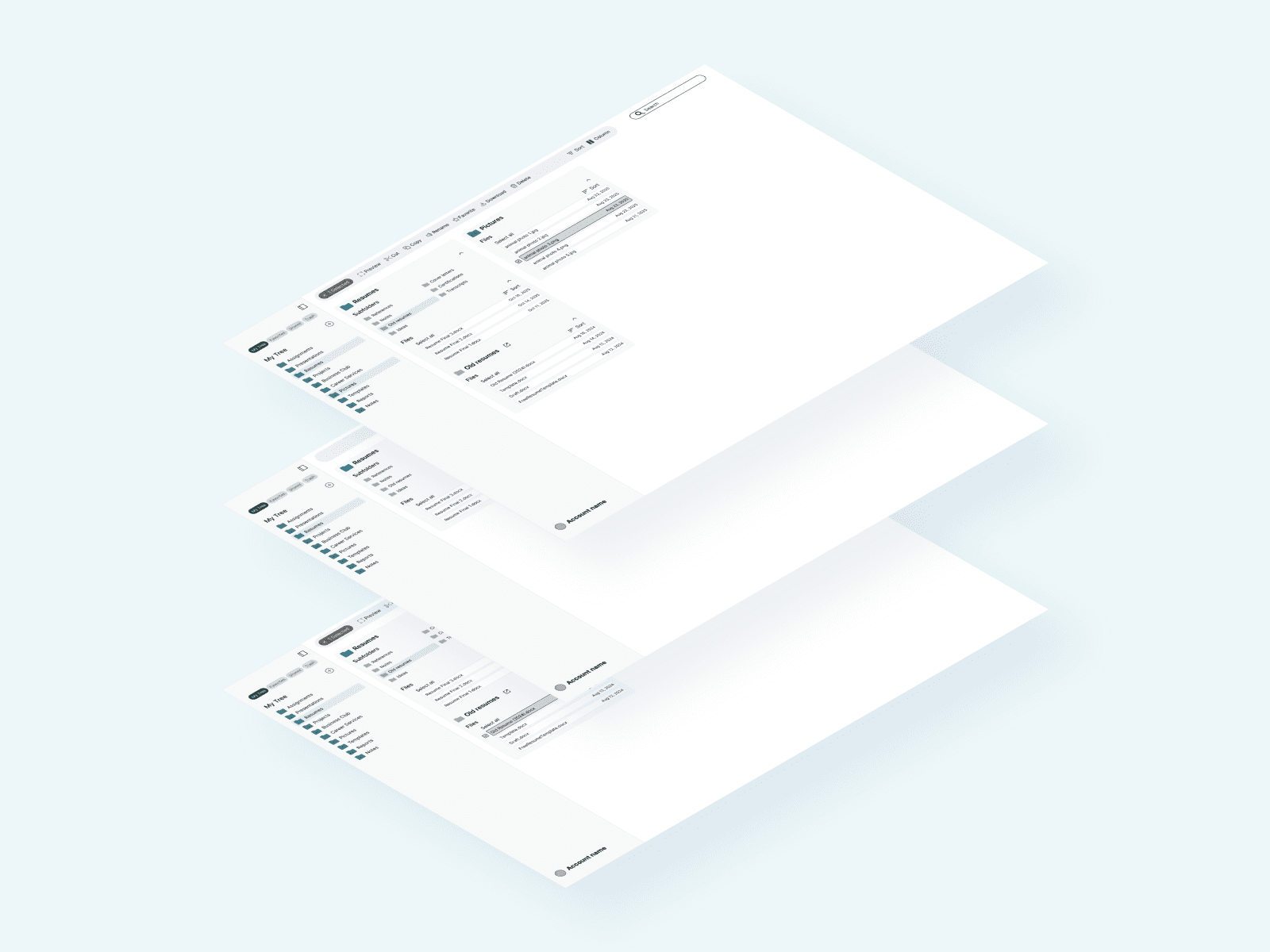
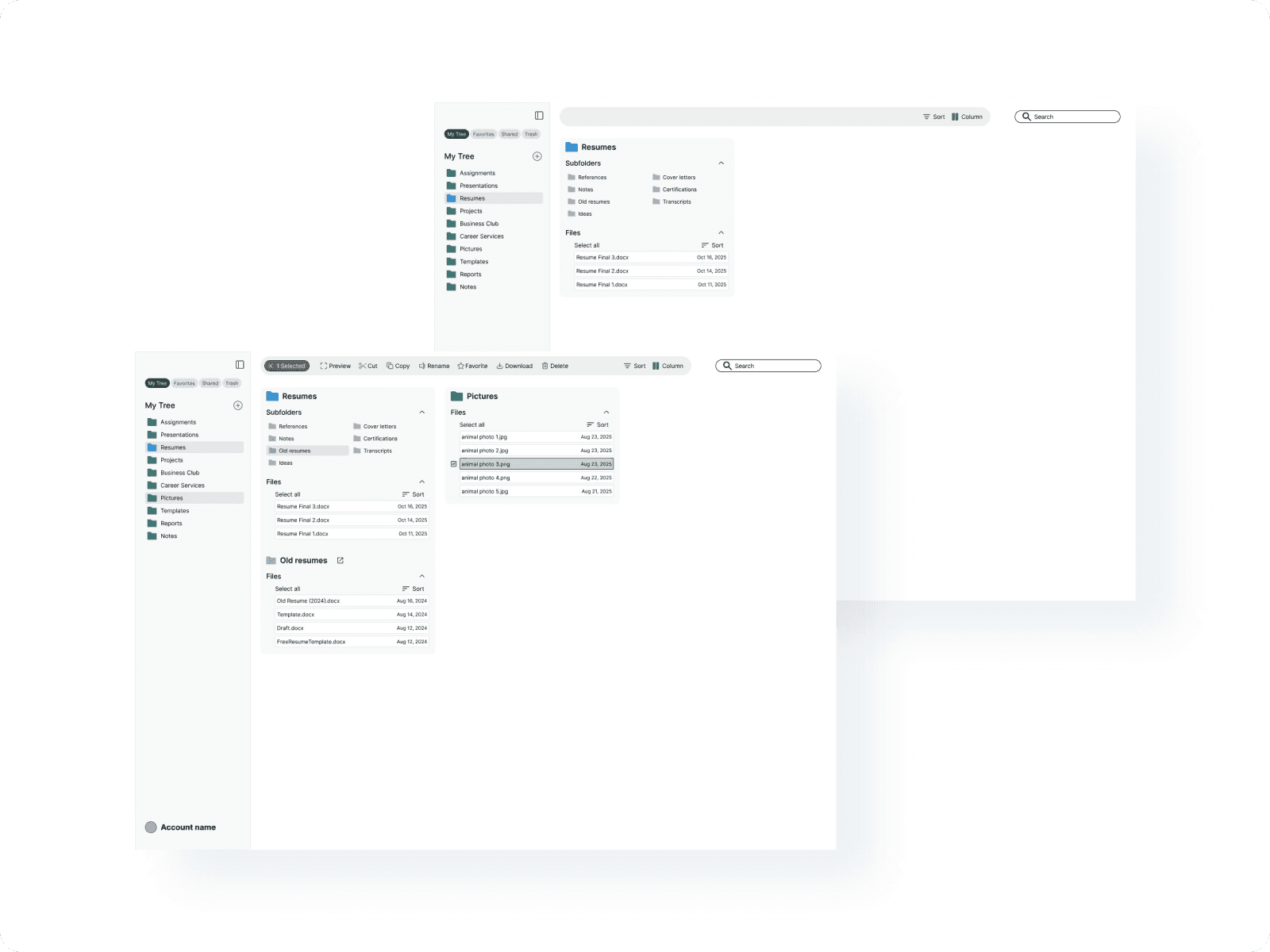
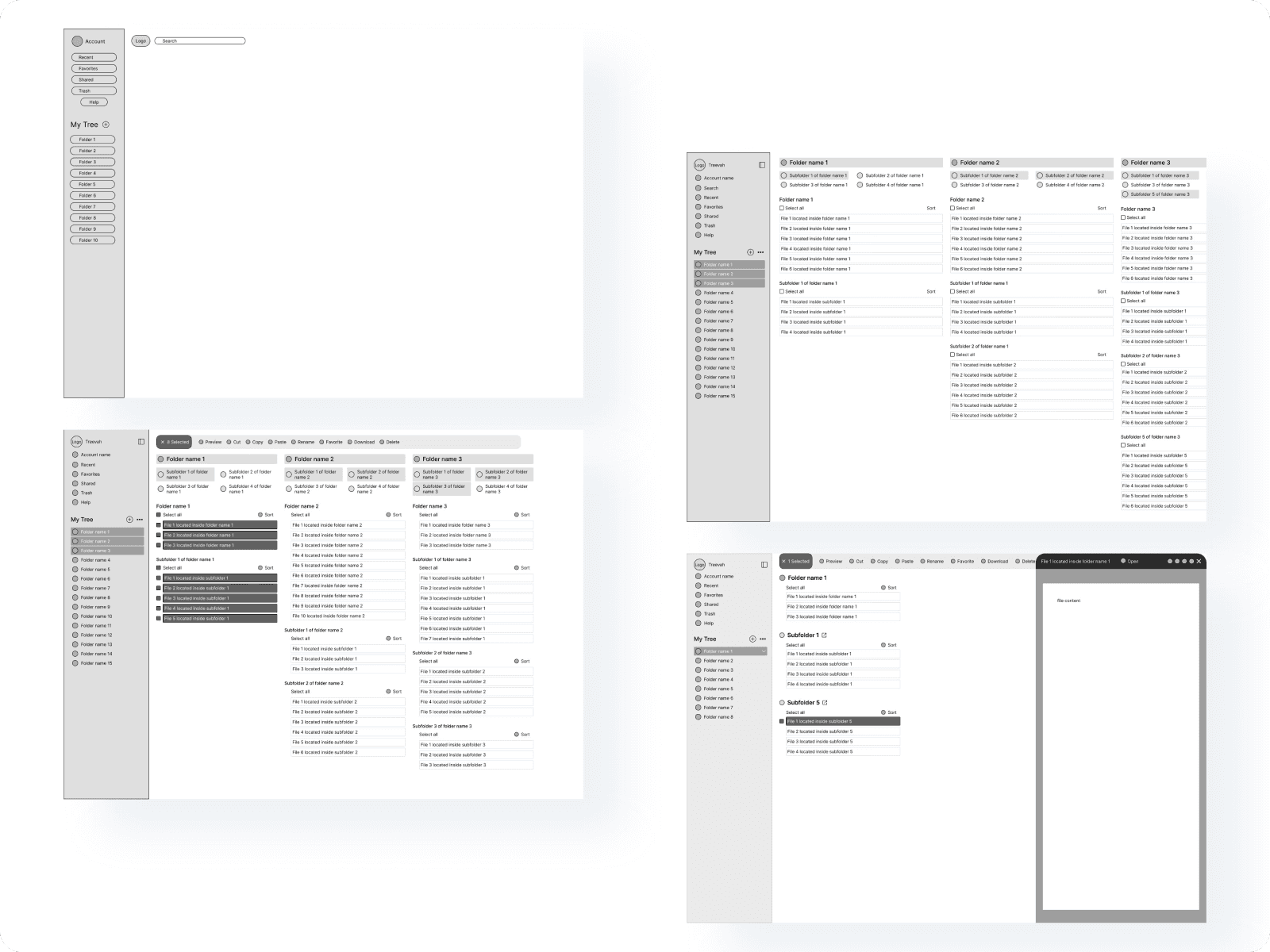
We kept folders as top-level navigation, added a subfolder panel for context, and streamlined the file panel to show only files. This “find first, organize second” approach reduces clutter and makes the system faster and more scalable.
Process
Research & Analysis: I audited the existing system and website for accessibility and UX standards, reviewed heatmaps, session recordings, and in-app analytics via Microsoft Clarity, and documented key findings.
Wireframing & Prototyping: Based on research insights, I sketched low- to mid-fidelity wireframes to explore layout and navigation improvements. Once validated internally, we built high-fidelity, interactive prototypes for testing.
Usability Testing: We ran usability tests with a diverse group of users, collected feedback, and iterated on the designs to address pain points and improve discoverability.
Visual Design & Style Guide: Finally, we applied a cohesive visual language — colors, typography, and iconography — and created a style guide to ensure consistency across the system.





Research
Before diving into design, I wanted to understand why Treevah’s file panel felt cluttered and confusing. My goal was to pinpoint where users got stuck and how the current layout affected their ability to find and organize files.
I started with a UX audit, reviewing heatmaps and session recordings in Microsoft Clarity to spot friction points. I also held quick user interviews to learn how people actually thought about their folders and files.
It became clear that users were getting lost in nested hierarchies and often didn’t know what level they were in. Most preferred to find files first, then organize them later — the opposite of how the system worked.
To put things in context, I looked at tools like Notion, Linear, and Figma. They all kept navigation shallow and focused on fast discovery, confirming that Treevah’s structure needed to feel lighter and easier to scan.
From this, I set three design principles:
Find first, organize second — make discovery effortless.
Keep hierarchy shallow — reduce unnecessary clicks.
Declutter the view — clearly separate folders, subfolders, and files.
These insights shaped how I approached the next phase, where I reworked the information architecture and layout to make the system faster and easier to navigate.

Wireframes
Using insights from Microsoft Clarity, I mapped out wireframes that directly addressed user pain points. Heatmaps and recordings showed frequent rage clicks on the breadcrumb navigation and drop-offs near the hamburger menu which were clear signs of confusion. I restructured these elements for clarity, replacing hidden functions with visible, intuitive controls. Each iteration refined how users moved through the panel, reducing friction and improving flow.
Testing & Validation
With a working prototype, I conducted usability tests with both new and returning Treevah users to see how they navigated, organized, and searched their files. Short follow-up interviews helped uncover their thought process and highlight moments of confusion or delight. Users liked the cleaner layout and drag-and-drop flow, but some struggled to find secondary actions like file previews or grouping in Freeform mode.
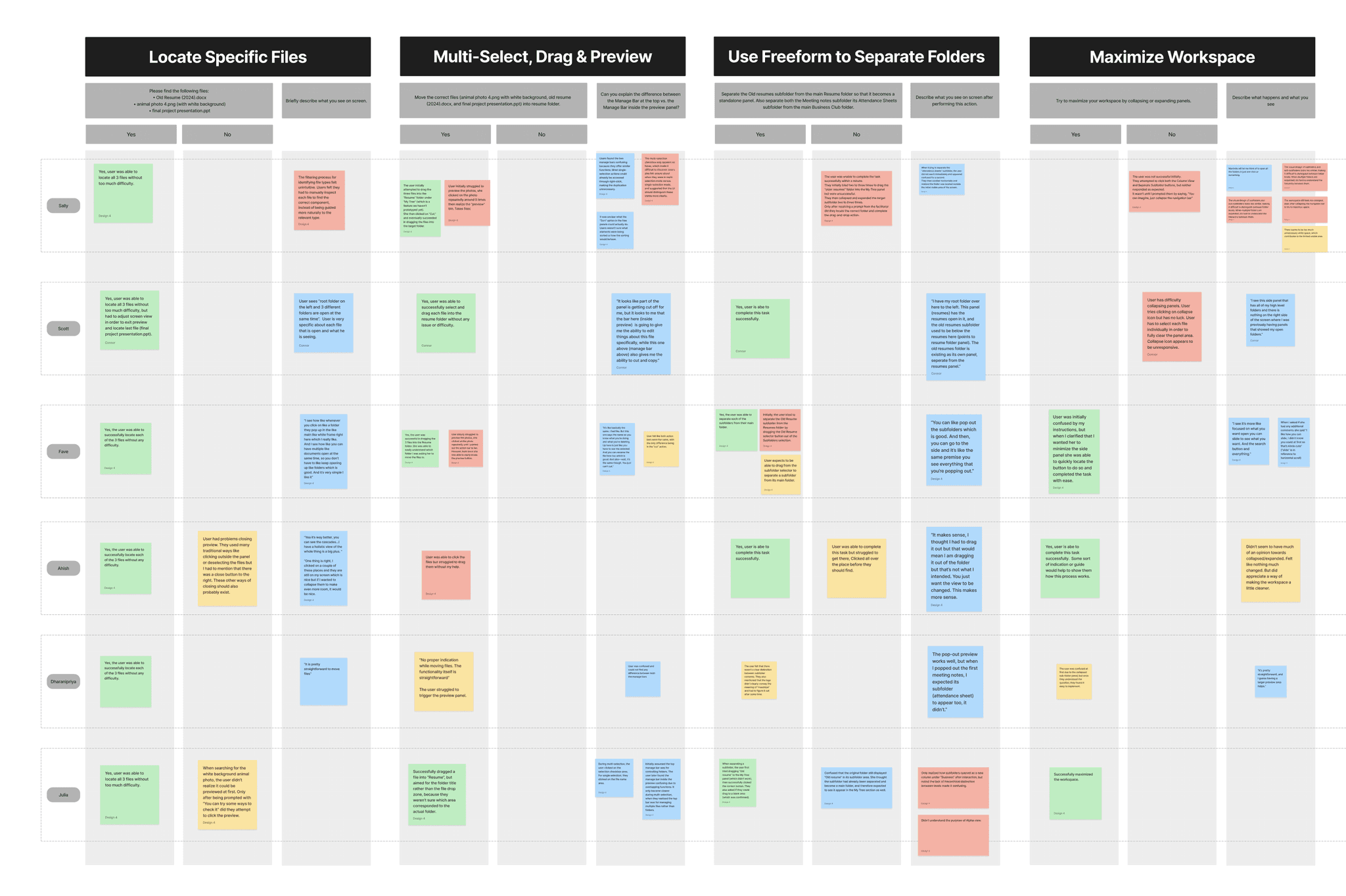
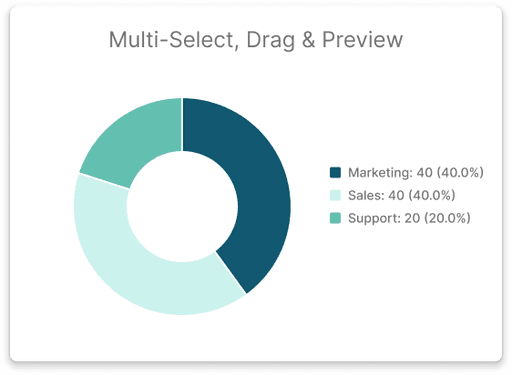
These insights guided the next iteration: I refined icon placement, adjusted visual hierarchy, and simplified key interactions. By the end of testing, users completed core tasks faster, with fewer clicks and less hesitation — a clear sign the redesign was on the right track.


Constraints & Trade-Offs: The Beta Launch
I managed the tension between the 'ideal' and the 'shippable.' My experience came down to one question: 'Does this move the needle for the user now without breaking the system later?' We traded some clever ideas for a rock-solid foundation and a faster launch.
Working at Treevah taught me how to design fast, adapt faster, and find clarity in chaos. Redesigning the file panel in a shifting startup environment pushed me to balance speed with purpose and user needs with iteration. It proved that great design is built through progress, not perfection.